You can create a free horse search request directly on the HORSES.SALE website. Before creating your request, you may optionally sign in or register. HORSES.SALE supports quick authorization through Google and Facebook, allowing you to complete registration in just a few seconds. Although registration is not mandatory, creating an account is recommended to give you better control over your requests.
Once the request is active, you will receive sms or email notification (depending on your choice) once the new horse that meets your requirements appears on our website.
Option 1. Create and manage request as a registered user
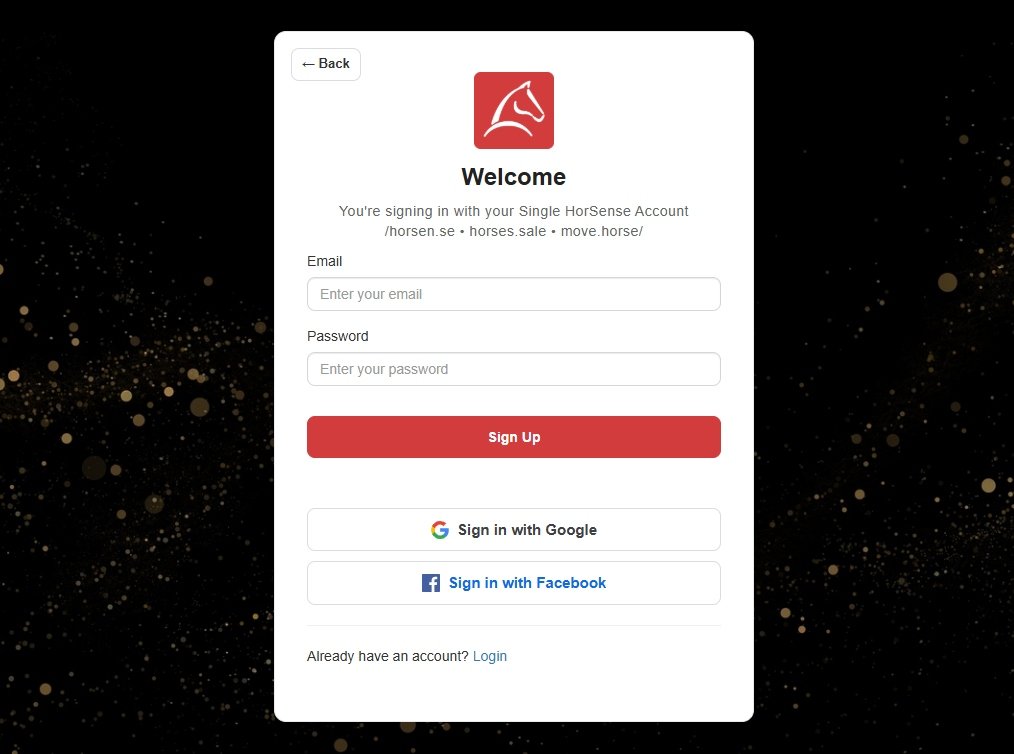
Step 1. Create a free account on https://horsen.se by clicking the “Sign Up” button. For the registration, you can use your email or a Google/Facebook account.
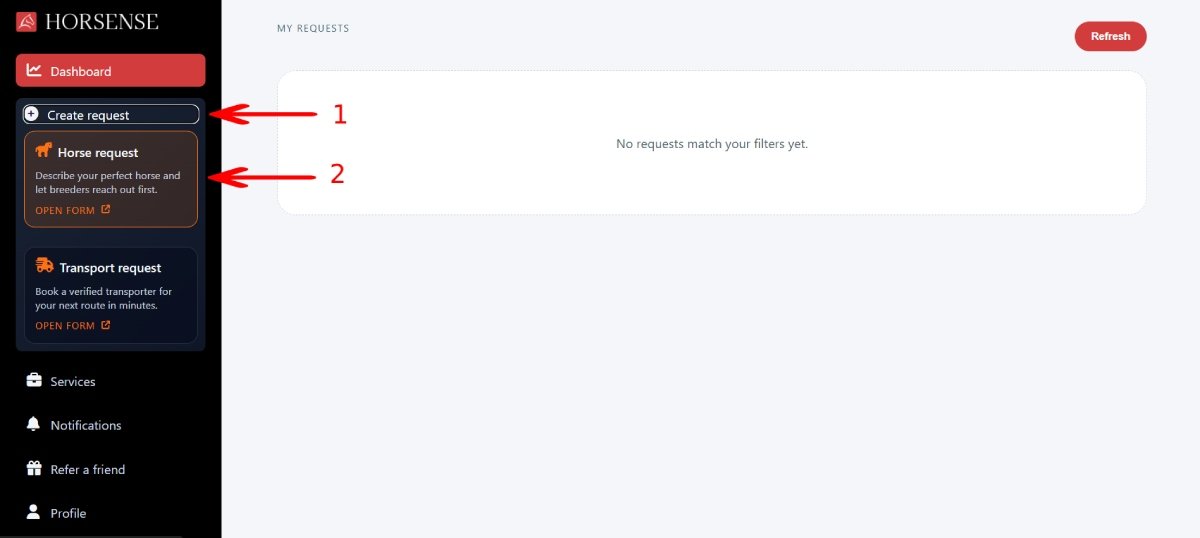
Step 2. In your account, click the “Create request” tab (1) and then click on the “Horse request” box (2).
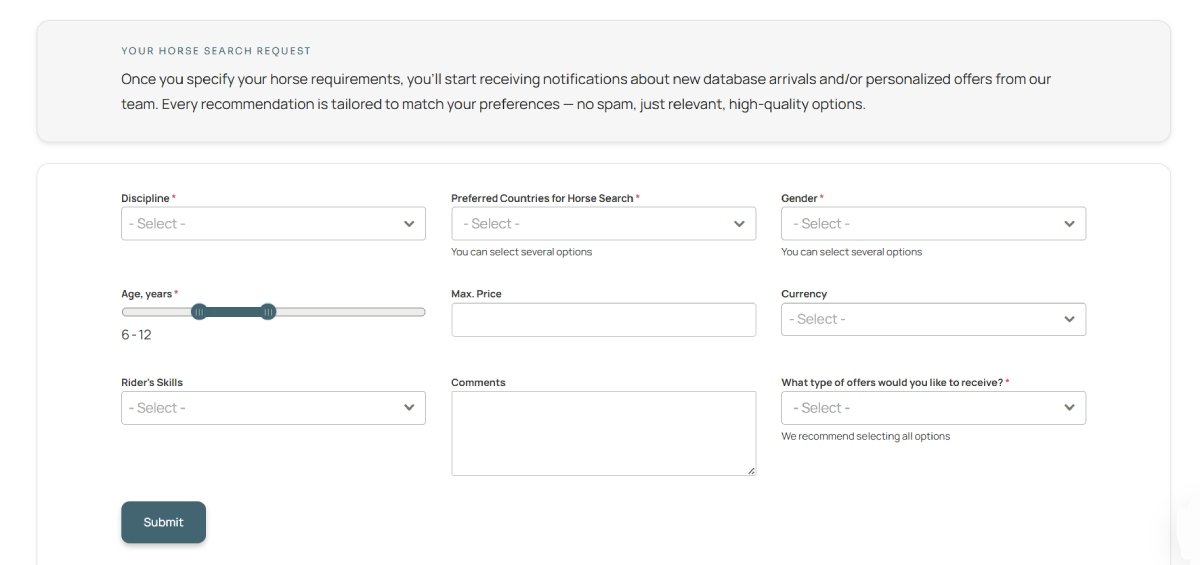
Step 3. Fill out your horse requirements and click the “Submit” button.
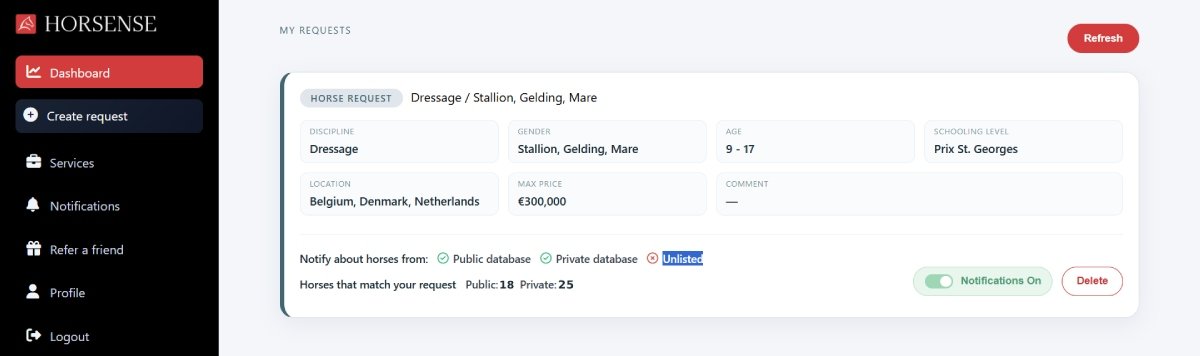
Once your request is created, you can see it on your user’s dashboard.
You can manage your notification preferences for the specific request or for all active requests.
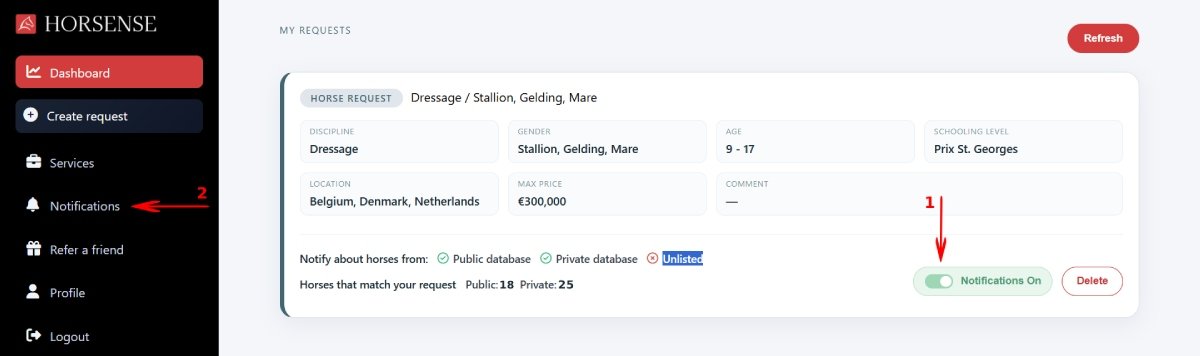
To disable notifications for the specific request, click on the “notifications” toggle (1) to change the status. Once notifications are disabled, you won’t receive messages to your email or phone, but still will see them in your account (2).
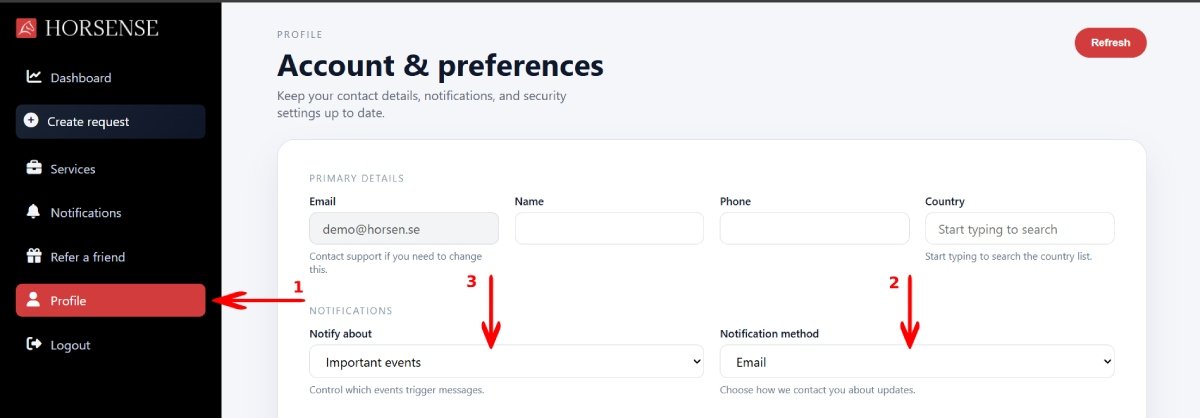
To change notification settings globally, open the “Profile” section (1). Here you can change the Notification method (2) or disable notifications completely (3).
Option 2. Create a request without registration
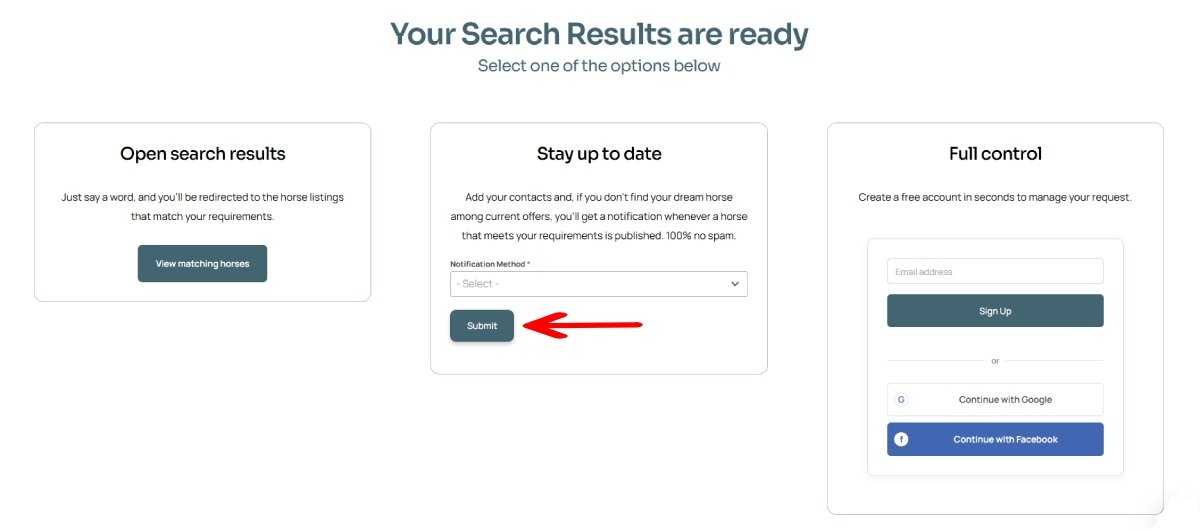
To create a horse request without registration, fill out the details of the horse you are looking for on the homepage, and select the “Stay up to date” option on the next screen.
To stop receiving notifications, follow the “unsubscribe” link in any email or sms notification you receive.