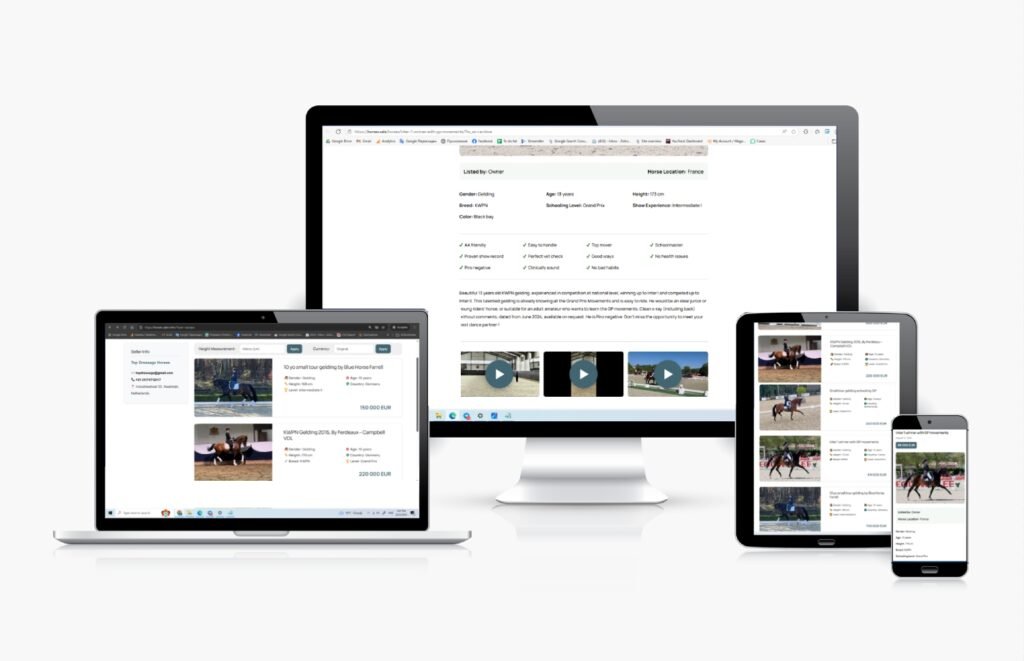
A Business Page is your own webpage on HORSES.SALE, where you can present your horses online. It is completely free to use, contains no external links, and has no usage limitations. You can post your horses and share the link anywhere — on social media, in messages, or on your own website.
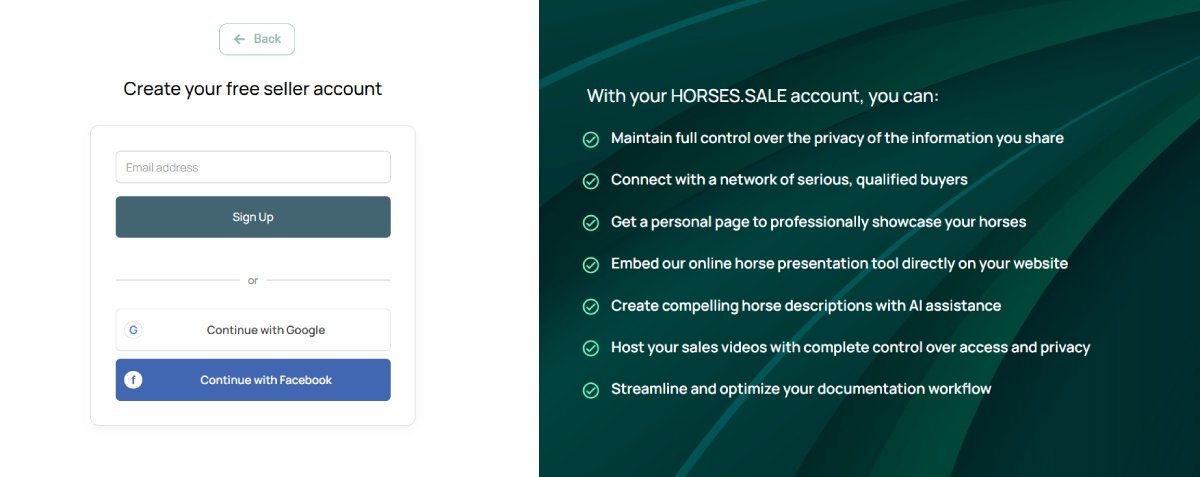
Step 1. Create a seller account. Register on HORSES.SALE using a custom username and password, or sign in quickly with Google or Facebook authorization.
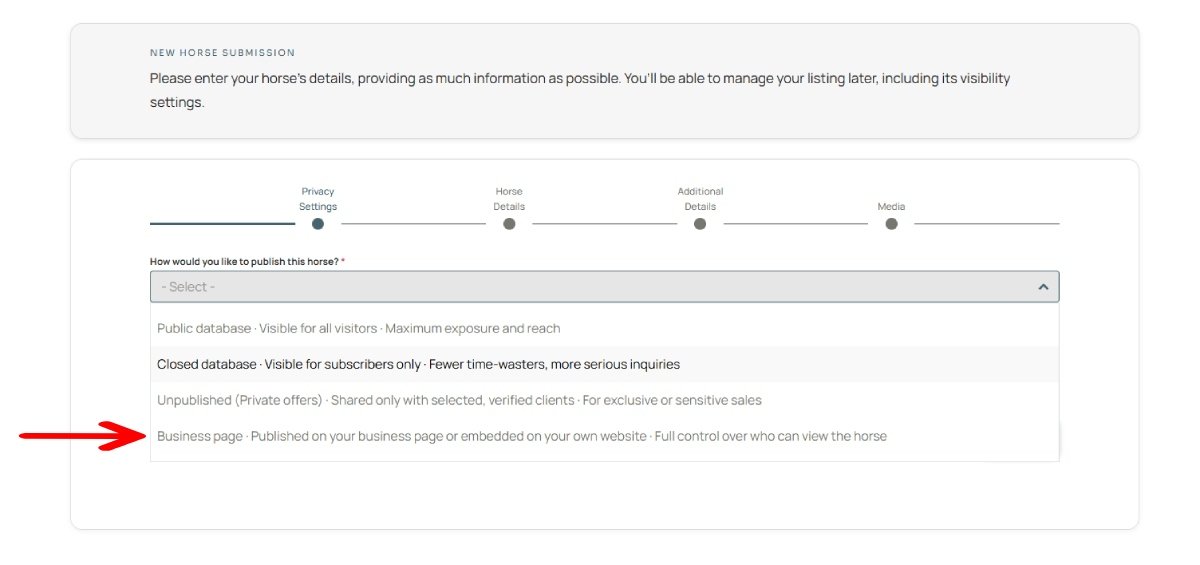
Step 2. Add horses to your account. When submitting a horse, select the “Business Page” option in the Privacy Settings section. Only listings with this option enabled will appear on your business. For detailed instructions, see [Submitting a Horse].
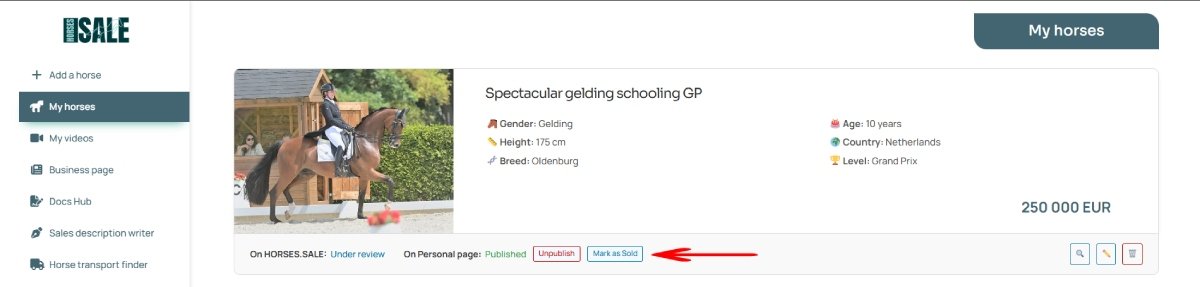
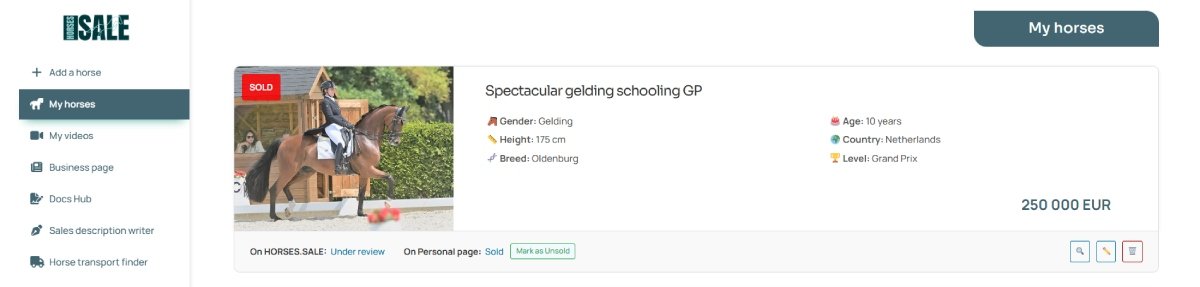
Step 3 (optional). Mark horses as sold. If you want to display sold horses on your page, click “Mark as Sold” A “Sold” badge will appear on the horse’s main photo.
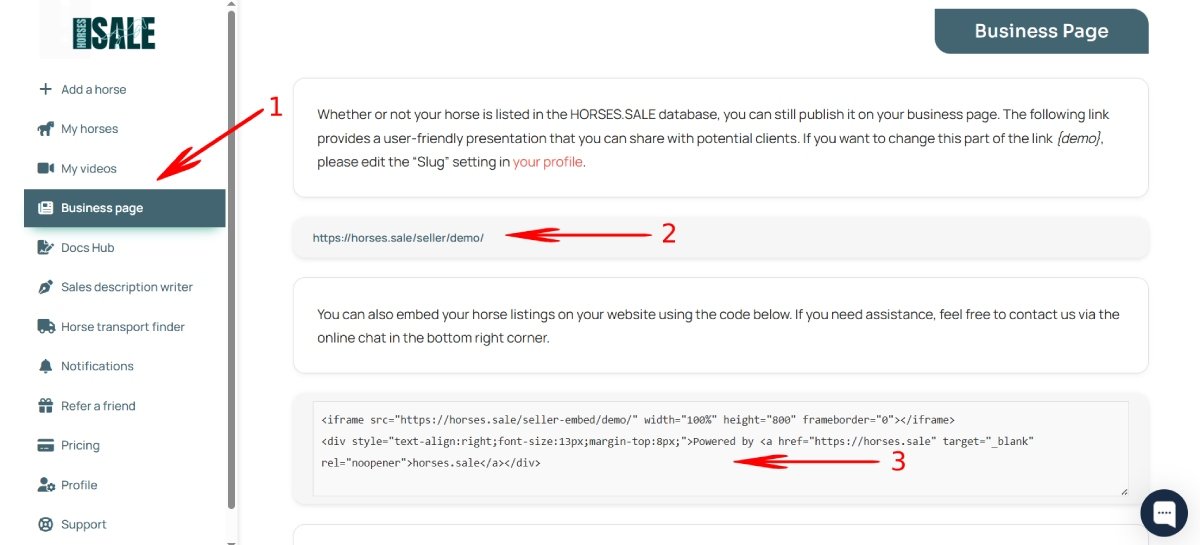
Step 4. Access your business page. To find the link to your page, open your Seller Dashboard and click the “Business Page” button (1). You can copy and share this link freely (2). Additionally, you can use iframe code to insert listings to your website page (3).
The list of your horses and their cards, with details including photos, videos, pedigree, etc., will be available for potential buyers.