Whether you want to list your horse for sale through HORSES.SALE or simply use the Personal Page feature, the first step is always to create a horse listing.
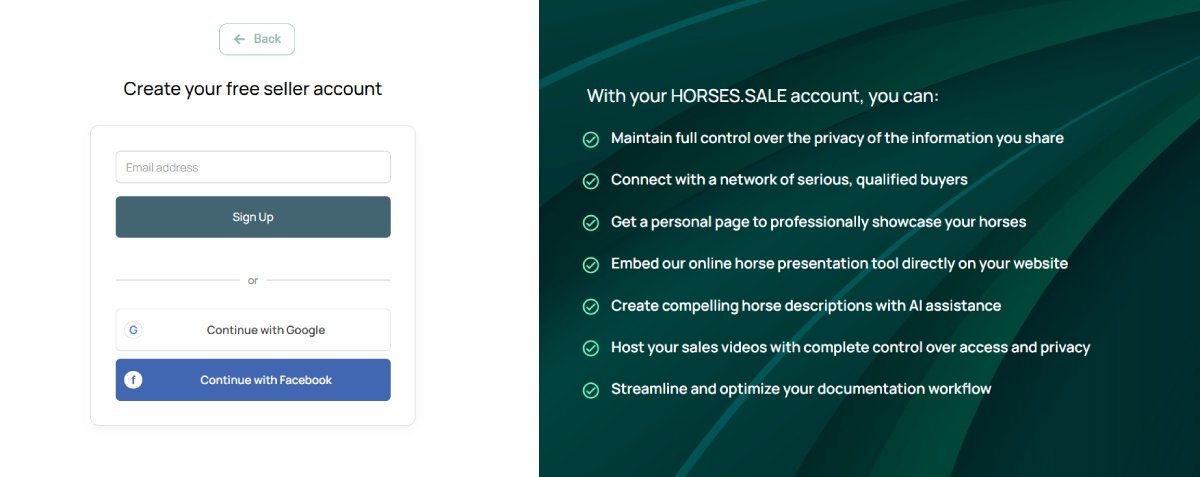
Step 1. Create a seller account. Register a new account using your preferred username and password, or sign in quickly using Google or Facebook authorization.
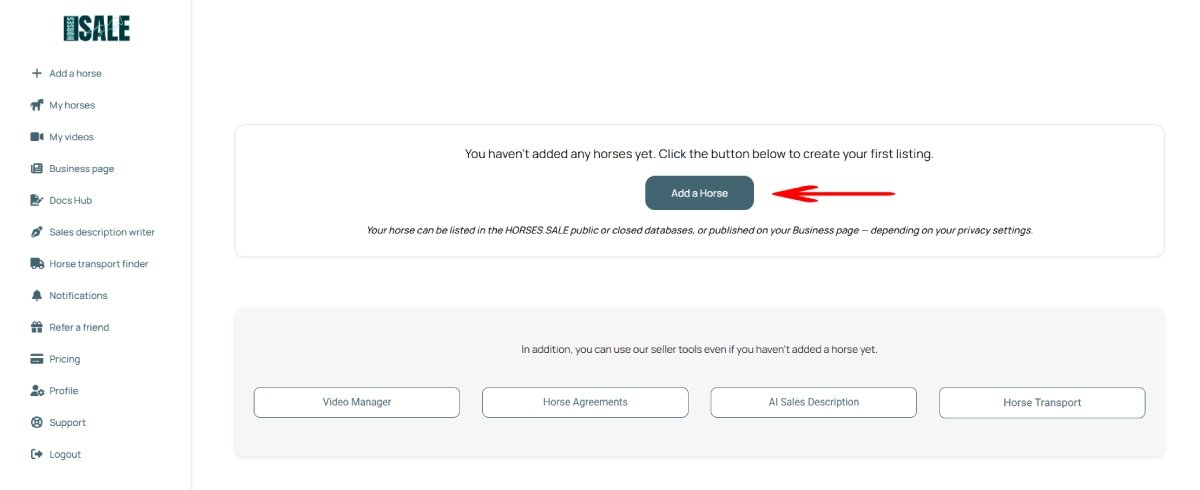
Step 2. Click the “Add a Horse” button.
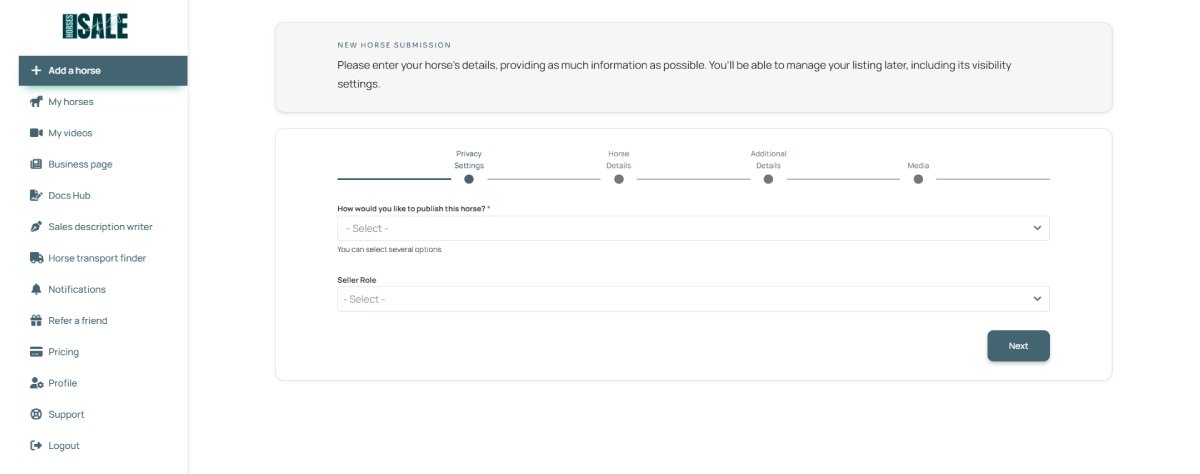
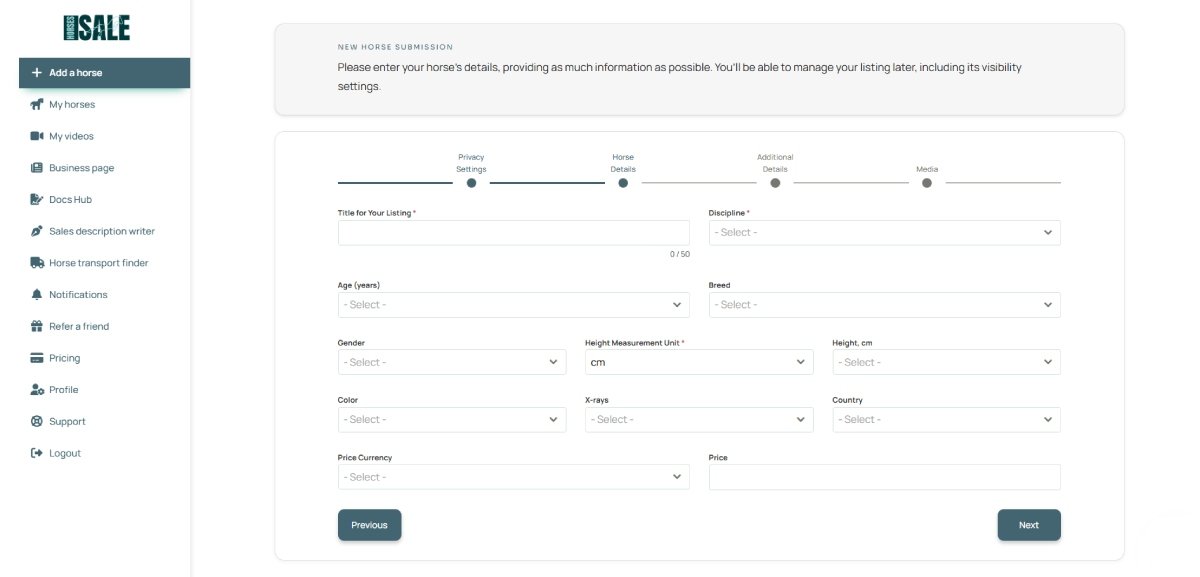
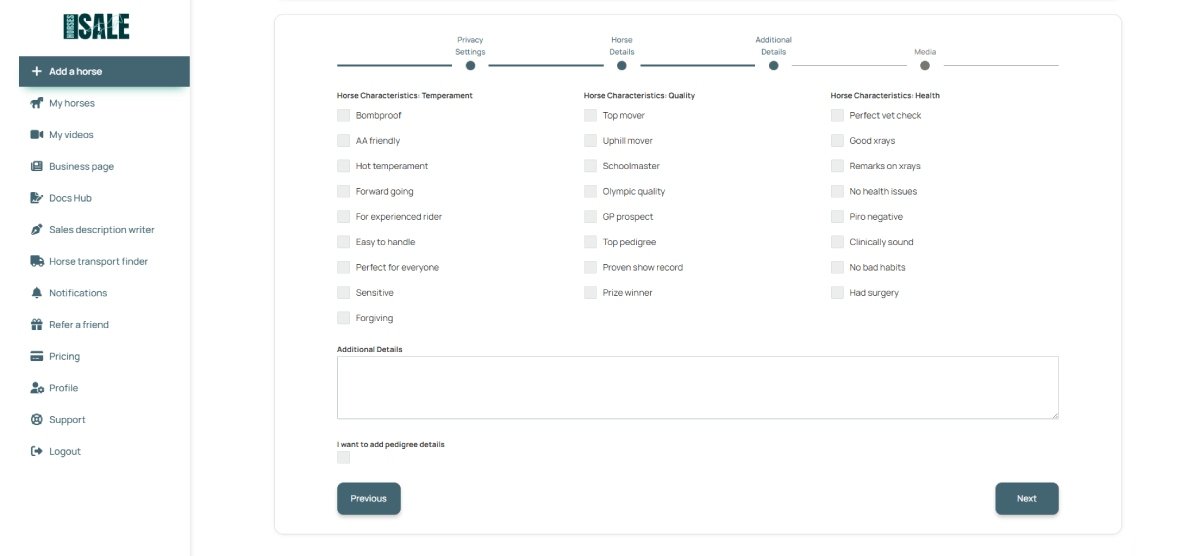
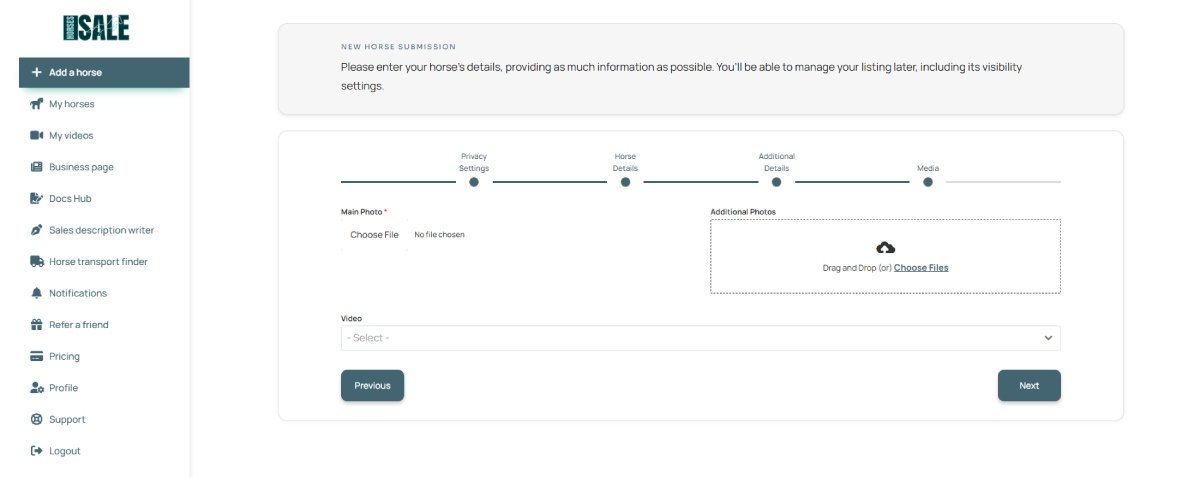
Step 3. Complete the multi-step horse details form.
Step 3a. Configure your Privacy Settings according to your preferred level of visibility.
Step 3b. Fill out the main horse details.
Step 3c. Next, add additional details for your listing. To write a description, you may use our “AI description writer” tool.
Step 3d. Then, add media files for your listing: main photo, additional photos, and video(s). If you don’t have any photos but only video, you may use our “photo from video” tool.
Step 4. Once you add your first listing, you need to specify the contact details that will be displayed to potential buyers.
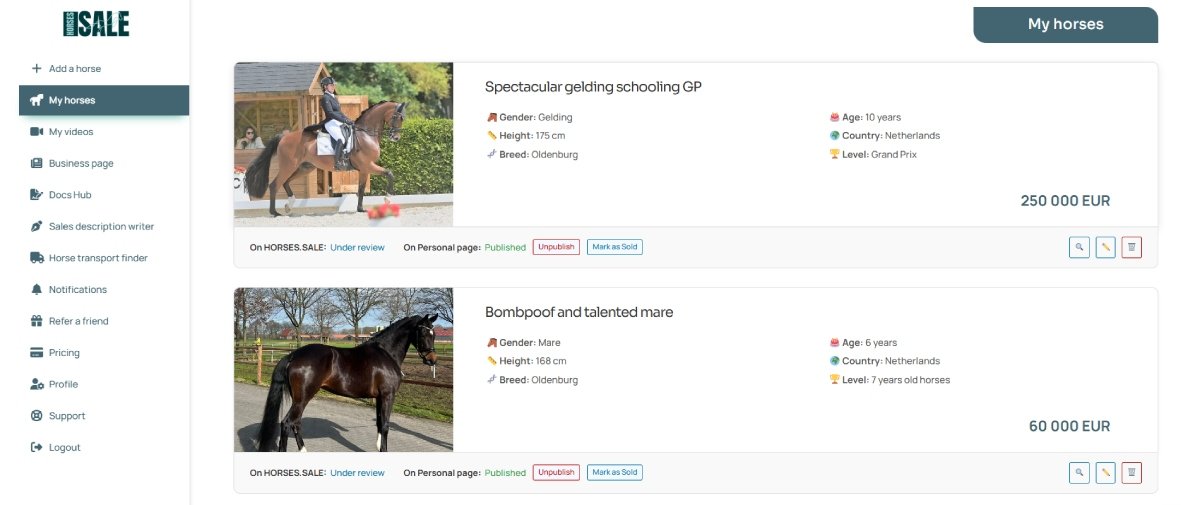
Step 5. Review and manage your listing. Once your horse is added, it will appear as a card in your account dashboard. From there, you can edit or delete the listing, or adjust its privacy settings at any time.
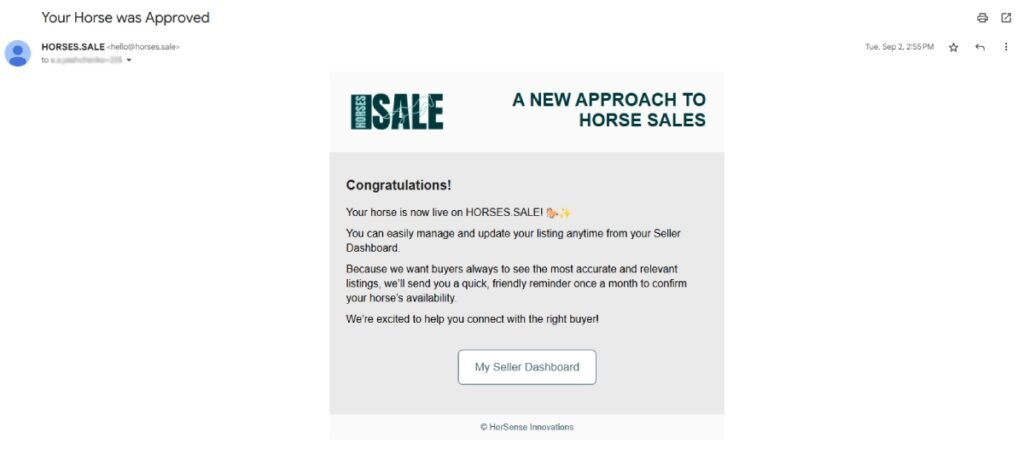
Step 6. If your horse was submitted for inclusion in the HORSES.SALE database, its initial status will appear as “Under review.” Once our team approves the listing, the status will change to “Published,” and you will receive a confirmation email.